
Tuju Navigation
2 Hours Ago
19MB
v2.0.4
Android 5.0+
50K
Description
Travelling across Malaysia becomes more comfortable when drivers have reliable information about their routes, traffic conditions, and highway facilities. Whether you are commuting through Kuala Lumpur, visiting relatives in Johor Bahru, or planning a holiday in Penang, proper journey planning can help reduce delays. Tuju Navigation is a Malaysian highway navigation application designed to provide traffic updates, route guidance, toll information, and other useful travelling services.
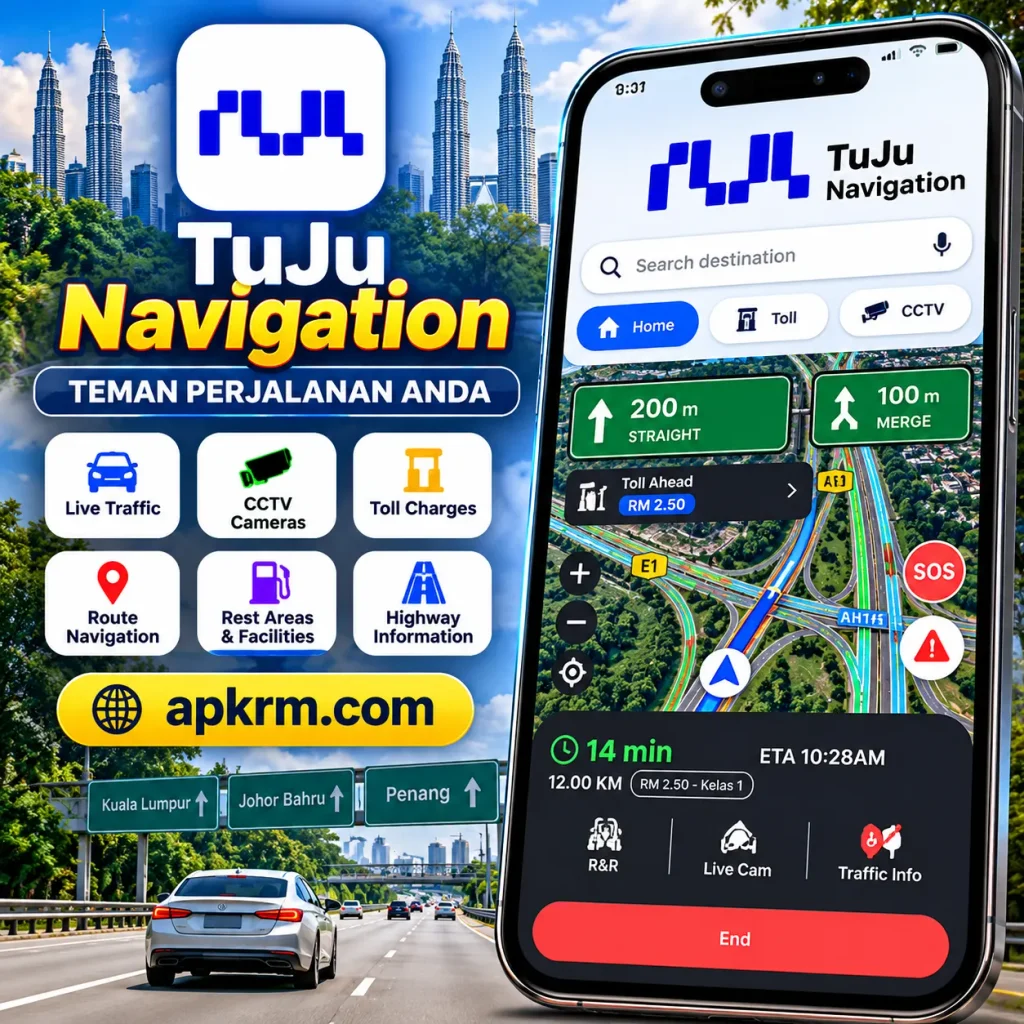
Unlike ordinary navigation tools, this application focuses on Malaysian highways and expressways. Drivers can explore traffic conditions, access supported CCTV cameras, calculate toll charges, and find rest areas before beginning their journeys.
The platform was developed through cooperation between the Malaysian Highway Authority (LLM) and Prosignal Consortium. Its combination of navigation and highway information makes it a useful travelling companion for motorists throughout Malaysia.
What Is Tuju Navigation?
Tuju Navigation is a mobile application created to help Malaysian motorists navigate highways and access important road information. It brings together route planning, traffic reports, toll calculations, and highway services within a single platform.
The application provides locally relevant information for people travelling around the Klang Valley and between Malaysian states. Drivers can check available road updates, estimate journey expenses, and locate highway facilities without switching between several information sources.
Its navigation tools are particularly helpful for motorists unfamiliar with certain expressways. Instead of depending entirely on road signs, users can prepare their routes and review expected travelling conditions.You can also explore other useful Malaysian Android app guides on apkrm.com.

Why Is Tuju Navigation Useful for Malaysian Drivers?
Malaysia has an extensive highway network connecting major cities, towns, and tourist destinations. However, traffic congestion, road maintenance, accidents, and changing weather conditions can sometimes interrupt travel plans.
Tuju Navigation helps users understand highway conditions before leaving home. Drivers can review available traffic information and explore alternative routes when necessary.
The application can be especially helpful during Hari Raya celebrations, school holidays, and balik kampung journeys when many Malaysians travel between states.
Families planning long journeys may also benefit from checking rest facilities, fuel stations, and estimated toll expenses in advance.
Although no application can guarantee traffic-free travel, access to relevant road information can support better decisions and more organized journeys.
Key Features of Tuju Navigation Android
Real-Time Highway Traffic Updates
One of the application’s main features is its access to current highway traffic information.
Drivers can review supported traffic reports to understand possible congestion, accidents, or disruptions along their intended routes.
This information is particularly useful before travelling through busy expressways around Kuala Lumpur and Selangor.
Updates depend on available reporting sources and network connectivity, so users should always remain attentive to actual road conditions.
Live Highway CCTV Cameras
The platform provides access to selected highway CCTV cameras, allowing motorists to observe road conditions at supported locations.
Visual information can help drivers understand whether traffic appears congested or moving smoothly.
For example, someone preparing for an interstate journey may check available camera feeds before choosing a departure time.
Camera availability can vary depending on the highway operator, network connection, and operational status.
Convenient Toll Fare Calculator
Highway tolls are an important consideration for Malaysian motorists, especially during long-distance journeys.
Tuju Navigation includes toll calculation features that help users estimate travelling expenses.
Drivers can review applicable toll information while planning their routes, making it easier to prepare a realistic travel budget.
Actual charges may depend on vehicle classification, selected routes, and applicable toll rates.
Smart Navigation and Route Planning
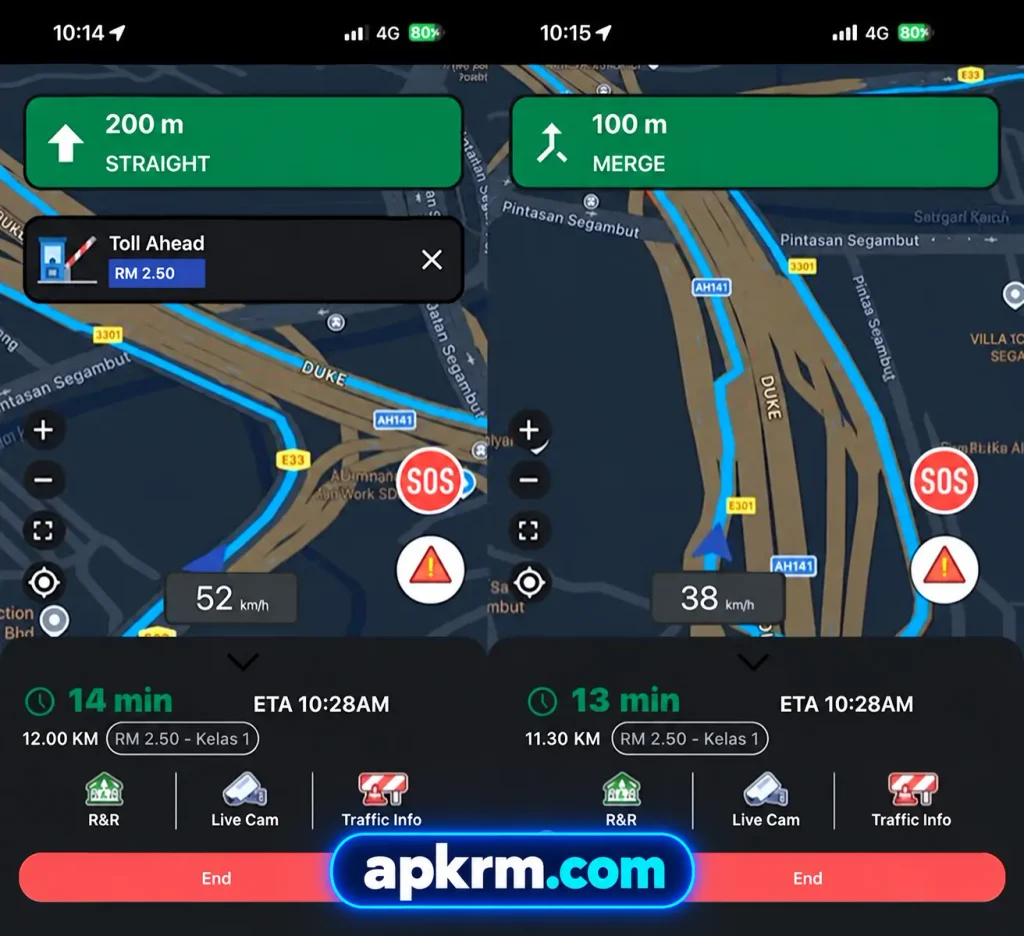
The application provides destination searches, route guidance, and estimated arrival information.
Users can explore available routes before beginning their journeys and follow navigation instructions while travelling.
Recent Android release notes also mention faster maps, smoother turn-by-turn guidance, voice search, and toll announcements.
These functions help make everyday commuting and unfamiliar highway journeys more manageable.
Highway Rest Areas and Facilities
Long-distance travelling becomes more comfortable when drivers know where they can stop.
The application provides information about highway rest and service areas, including selected fuel stations, restaurants, prayer facilities, and other amenities.
Motorists travelling with family members can use this information to plan comfortable breaks.
Regular rest stops are particularly important during extended journeys when driver fatigue may become a concern.
Highway Assistance and Emergency Services
Unexpected vehicle problems can happen during any journey.
The application provides access to highway assistance information and emergency-related contact services.
Users can find relevant assistance options when experiencing a breakdown or another roadside difficulty.
Drivers should always prioritize their immediate safety and contact the appropriate emergency authorities when necessary.
Simple and Convenient Interface
A useful navigation application should be easy to understand.
Tuju Navigation organizes important highway services into a mobile interface where users can access maps, traffic information, and other available functions.
Its design allows motorists to explore commonly used features without navigating complicated menus.
A clear interface is particularly beneficial for drivers who prefer straightforward travel applications.
How to Download Tuju Navigation APK on Android?
Installing the application is straightforward when using an official source.
Follow these steps:
- Open the Google Play Store on your Android smartphone.
- Search for Tuju Navigation.
- Select the official TuJu application.
- Verify the publisher and application information.
- Tap the Install button.
- Allow the download and installation to finish.
- Open the application and explore its features.
You can access the official TuJu Google Play listing directly.
Users considering manual APK installation should verify the source carefully. Avoid modified packages, suspicious download pages, or files requesting unnecessary permissions.
How to Use Tuju Navigation for the First Time?
After installation, open the application and review its available navigation options.
Depending on your device and application version, location permission may be requested to provide relevant route information.
Enter your intended destination and examine the available journey details.
For example, motorists travelling from Kuala Lumpur to Melaka can review supported traffic information, expected route details, and applicable toll estimates.
Before leaving, explore available rest areas and other useful highway facilities.
Always complete route preparation while parked. Avoid operating your smartphone manually while driving.
Tuju Navigation APK Latest Version and Updates
Updating navigation applications regularly is important because road information systems and mobile operating environments continue to evolve.
Application updates may introduce improved mapping performance, interface adjustments, new services, and technical fixes.
In October 2026, Malaysia’s public broadcaster RTM also reported improvements under TuJu 2.0, including additional electric vehicle information, local attractions, saved destinations, and parked-vehicle location functionality.
Availability of individual features may depend on the installed version and rollout status.
To check your latest available Android version, visit the verified Google Play listing and review its release information.
Tuju Navigation vs Traditional Navigation Applications
Many Malaysian motorists already use Google Maps and Waze for everyday directions.
Tuju Navigation provides a more specialized focus on Malaysian highway services, including CCTV access, toll information, and expressway facilities.
General navigation platforms may offer broader destination coverage and established route-planning ecosystems.
TuJu can serve as an additional source of highway-specific information, particularly for interstate travellers.
Rather than depending entirely on one application, motorists can compare reliable sources when planning unfamiliar journeys.
Advantages and Disadvantages
| Advantages | Disadvantages |
|---|---|
| Focused on Malaysian highway travel | Primarily useful for Malaysian roads |
| Access to selected highway CCTV cameras | CCTV coverage may vary |
| Convenient toll calculation features | Estimates may differ from final charges |
| Highway traffic information | Live features require internet access |
| Details about rest areas and facilities | Information may occasionally be outdated |
| Emergency assistance information | Available services depend on location |
| Navigation and route-planning tools | Performance depends on device compatibility |
Is Tuju Navigation APK Safe for Android Users?
Application security should always be considered before installing software.
The safest approach is to download Tuju Navigation through its verified official application listing.
Before installation, users should check the publisher, requested permissions, and available privacy information.
Location access may be necessary for certain navigation functions, but permissions should only be granted when appropriate.
Avoid unofficial modified APK files because they may contain unwanted software or introduce security risks.
Keeping Android updated and installing application improvements regularly can also help maintain device security.
Common Tuju Navigation Problems and Solutions
Application Not Opening
If the application closes unexpectedly, restart your smartphone and try opening it again.
Check for available updates through the Google Play Store.
Clearing the application cache may also resolve temporary loading problems.
GPS Location Not Working
When location tracking does not function correctly, check whether your smartphone’s location services are enabled.
Review the application’s permissions and confirm that location access is allowed when needed.
Poor GPS reception may also affect navigation accuracy.
Highway CCTV Not Loading
Camera feeds require a working internet connection and operational camera services.
If a selected camera does not load, check your connection and try another available location.
Temporary maintenance or technical interruptions may also affect camera availability.
Traffic Updates Not Refreshing
Slow connectivity can prevent live highway information from updating.
Switch to a reliable connection and reopen the relevant section.
If the problem continues, compare conditions with another trustworthy traffic information service.
Who Should Use Tuju Navigation in Malaysia?
The application can benefit different categories of motorists throughout Malaysia.
Daily commuters may use traffic information before travelling to offices or workplaces.
Families planning interstate holidays can review toll estimates, highway facilities, and rest-stop locations.
Delivery drivers and business travellers may appreciate access to locally relevant route information.
Tourists driving between Malaysian destinations can also benefit from understanding expressway services before beginning unfamiliar journeys.
The application is particularly useful for people who regularly travel on major highways and want additional journey-planning resources.
Tips for a Better Experience With Tuju Navigation
Good preparation can make highway navigation more effective.
Review your intended route before departing and check available traffic information whenever possible.
Keep your smartphone charged and ensure mobile data is available for online features.
For long-distance journeys, identify suitable rest areas before entering unfamiliar highways.
Consider toll expenses, fuel requirements, weather conditions, and potential congestion when planning departure times.
Always follow road signs, official traffic instructions, and safe driving practices rather than depending exclusively on mobile navigation.
Final Words
Tuju Navigation offers Malaysian motorists a convenient platform for accessing highway information, route guidance, toll estimates, and selected CCTV cameras.
Its Malaysia-focused services make it relevant for daily commuting, family holidays, and long-distance interstate journeys.
Whether travelling through Kuala Lumpur, heading towards Penang, or returning home during festive celebrations, having useful highway information available can make planning more convenient.
The application cannot eliminate traffic problems or guarantee perfect arrival estimates. However, it can support more informed travelling decisions when combined with responsible driving.
Frequently Asked Questions (FAQs)
Yes, the application is available to download through Google Play without an initial installation fee. Certain services or mobile data usage may involve additional costs.
Live traffic updates, highway CCTV feeds, and other online services generally require an active internet connection. Offline functionality may be limited.
Yes, the application provides toll calculation functionality to help motorists estimate their journey expenses. Actual charges may vary depending on the route and vehicle category.
Yes, an official Android application is available through Google Play. Compatibility depends on the device and current application requirements.
Tuju Navigation emphasizes Malaysian highway information and related services, while Google Maps and Waze provide broader navigation functionality. The preferred application depends on individual travelling needs.
Download links
How to install Tuju Navigation APK?
1. Tap the downloaded Tuju Navigation APK file.
2. Touch install.
3. Follow the steps on the screen.