DroidDeck
2 Hours Ago
69.5 MB
1.0.0
Android
1M
Description
DroidDeck is an Android gaming application designed for users who want to enjoy compatible PC games on their smartphones and handheld devices. Instead of depending on traditional mobile games, the application provides access to a Steam-style gaming environment with controller support, graphical tools, and Windows game compatibility.
The application uses advanced technologies such as ARM64 Proton, Vulkan graphics, and Linux runtime components to create a portable gaming experience. Users can explore their Steam libraries, adjust settings, manage compatible games, and enjoy a console-inspired interface directly on supported Android hardware.
Unlike ordinary game launchers, DroidDeck focuses on running games locally rather than streaming gameplay from another computer. Its open-source design also allows interested users to explore the project’s development and improvements.
What Is DroidDeck?
DroidDeck APK is an open-source Android application that brings Valve’s ARM64 Steam client to supported Android devices. It provides a gaming environment where users can browse their Steam libraries, access supported games, and navigate a controller-friendly interface.
The application works through a Linux runtime that supports important gaming components. Its purpose is to make handheld Android hardware more useful for PC gaming without requiring users to install an entirely different operating system.
However, compatibility is important. Not every Android phone can run the application, and individual PC games may perform differently depending on hardware, graphics requirements, and software support.
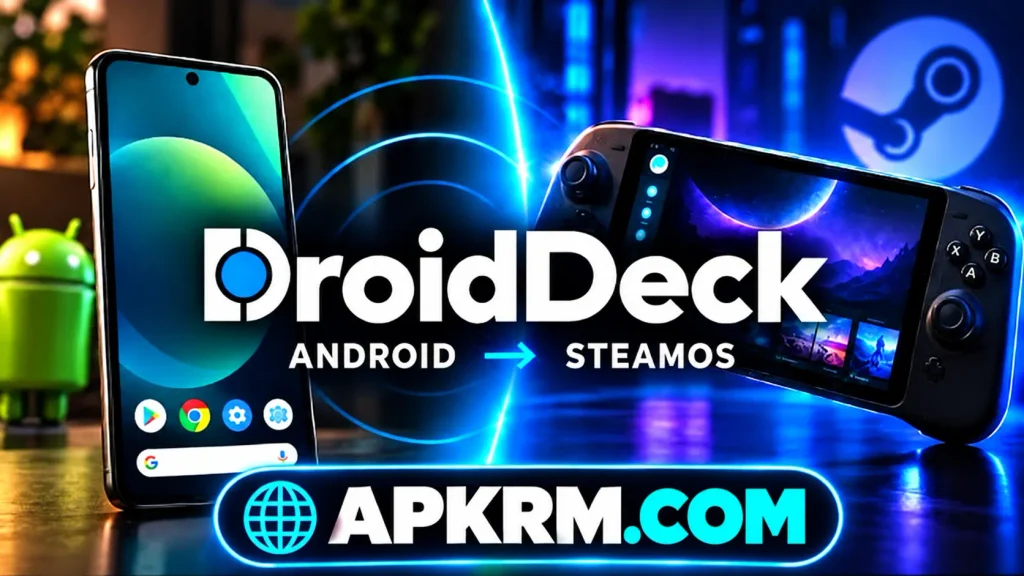
DroidDeck Gaming Experience
The gaming experience focuses on providing a familiar environment for people who already enjoy Steam games on computers or dedicated handheld consoles.
After completing the initial setup, users can enter a gaming interface where available titles and library information can be accessed.
Important parts of the experience include:
- Steam Big Picture interface
- Access to an existing Steam library
- Support for compatible Windows games
- Controller-oriented navigation
- Adjustable graphics settings
- Local game execution
- Linux runtime management
- Portable gaming convenience
These features make the application interesting for handheld gaming enthusiasts. However, available functionality depends on the installed release, selected game, and supported hardware.
Steam Library and Game Management
Steam library access is one of the most important parts of the application. Users can sign in to their Steam accounts through the Steam client and explore their existing game collections.
A well-organized library makes it easier to find purchased titles, review game information, and select games for installation.
However, owning a game on Steam does not automatically guarantee that it will run successfully on Android.
Users should consider game requirements, available storage, compatibility reports, and controller support before installing large titles.
This preparation can help avoid unnecessary downloads and improve the overall experience.
Graphics and Performance
Graphics performance plays a major role in PC gaming on Android. Different games require different levels of processing power, memory, and graphical support.
DroidDeck uses Vulkan-based graphics technologies to support compatible games on supported Adreno hardware.
The application also relies on software components that help translate instructions and graphics operations when necessary.
Performance can vary considerably between games. A lightweight title may run more comfortably than a demanding modern PC release.
Users should begin with moderate graphical settings and adjust them according to actual gameplay performance.
Lower resolutions and reduced visual effects may provide a smoother experience on some devices.
Windows Games and Compatibility
Windows game compatibility is an important reason why many users may find DroidDeck interesting.
The application uses ARM64 Proton and instruction translation technologies to help supported Windows games operate within its Android-based environment.
However, compatibility is not universal. Some titles may work, while others may experience graphical problems, controller issues, loading errors, or unexpected crashes.
| Gaming Component | Main Purpose |
|---|---|
| Steam Client | Library access and game management |
| ARM64 Proton | Windows game compatibility |
| FEX-Emu | Instruction translation |
| Gamescope | Gaming display environment |
| Vulkan | Graphics rendering |
| Linux Runtime | Supporting system environment |
Understanding these components can help users recognize why PC gaming compatibility differs from ordinary Android applications.

Different Ways to Use DroidDeck
Different users may approach the application according to their gaming preferences.
Some may prefer smaller independent games that have modest hardware requirements. Others may explore controller-supported PC titles or experiment with different graphics settings.
The application can also interest users who enjoy configuring Linux-based gaming environments.
Possible activities include exploring a Steam library, testing compatible games, using an external controller, and experimenting with supported desktop tools.
The best approach is to begin with simple tasks before attempting demanding games or advanced configuration changes.
Mobile Controls and Gamepad Support
Controls are especially important when moving from computer gaming to a handheld Android device.
Traditional PC games often depend on keyboards, mice, or dedicated controllers. A handheld environment therefore needs a practical input system.
DroidDeck focuses on controller-friendly navigation through Steam Big Picture mode.
Depending on the device and game, users may be able to use integrated handheld controls or supported external gamepads.
Control arrangements and individual game compatibility should be checked before playing.
A comfortable setup makes navigating menus and handling gameplay actions easier, particularly in games designed around physical controllers.
Device Requirements and Performance
Not every Android device meets the hardware requirements for this application.
The project targets Android 9 or newer devices using supported Qualcomm Snapdragon processors and compatible Adreno graphics hardware.
Adreno 730 or newer graphics and Adreno 8xx devices are supported targets. Some older Adreno hardware has experimental compatibility.
Important requirements include:
- Android 9 or a newer supported version
- Compatible Snapdragon processor
- Supported Adreno graphics hardware
- Sufficient available storage
- Reliable internet for initial setup
- Enough memory for selected games
Approximately 3 GB may be needed for the Linux runtime, with additional space required for optional components and installed games.
Users should verify their exact device model before downloading.
Steam Account and Online Features
A Steam account allows users to access library information and games associated with their accounts.
During setup, the application retrieves the necessary Steam components, after which users can complete the normal Steam sign-in process.
An internet connection is useful for downloading packages, signing in, updating software, and obtaining game files.
Some games may also require an active internet connection for multiplayer services or online features.
However, offline availability depends on individual games and Steam requirements.
Users should avoid entering account credentials into unfamiliar websites or unofficial login pages.
Interface and Customization
A clear gaming interface helps users manage applications without constantly switching between complicated menus.
DroidDeck aims to provide a console-inspired experience through Steam Big Picture mode.
Depending on the installed version, users may have access to display adjustments, runtime settings, desktop tools, and other configuration options.
Some settings affect performance, while others change how users interact with the environment.
Beginners should avoid changing unfamiliar advanced settings without understanding their purpose.
Starting with default configurations and making gradual adjustments is usually a more practical approach.
How to Install the Android Version?
Before installing the application, confirm that your device meets the published hardware requirements.
A general installation process is:
- Visit the official DroidDeck GitHub repository.
- Open its Releases section.
- Download the appropriate Android APK.
- Open the downloaded package.
- Review Android’s installation permission request.
- Complete the installation process.
- Launch the application.
- Download and configure the required Linux runtime.
- Start the Steam environment.
- Sign in through the Steam client.
Additional setup steps may be necessary for certain Android versions.
Always use trusted releases and review application permissions carefully.

Beginner Tips for DroidDeck
Check Hardware Compatibility First
Before downloading, identify your phone’s processor and graphics hardware.
Having a recent Android version alone does not guarantee compatibility. The GPU must also support the necessary graphics technologies.
Keep Enough Storage Available
The application requires more storage than its initial APK package.
Runtime components and installed PC games can occupy several gigabytes, so checking free space before installation is important.
Start With Lightweight Games
Beginners should consider testing smaller, less demanding PC games first.
This helps them understand basic functionality, controls, loading behavior, and performance without immediately installing extremely demanding titles.
Adjust Graphics Carefully
High graphical settings may produce attractive visuals but can reduce performance.
Experimenting with resolution and other available settings can help users find a practical balance between visual quality and smooth gameplay.
Use a Suitable Controller
A compatible controller can make certain PC games easier to manage.
Check whether your selected game supports controller input and whether the device correctly recognizes the connected controls.
Maintain a Stable Connection
A reliable connection is helpful during runtime downloads, Steam authentication, updates, and game installation.
Interrupted downloads may require additional troubleshooting or repeated installation attempts.
Follow Official Updates
Open-source gaming projects can change considerably between releases.
Reading release notes and known issue reports can help users identify fixes, new capabilities, and possible compatibility limitations.
Why DroidDeck Offers a Different Experience?
One interesting aspect of DroidDeck is its approach to portable PC gaming.
Instead of simply displaying a remotely streamed computer game, it attempts to run compatible games directly on supported Android hardware.
This creates opportunities for people who want to explore PC gaming beyond traditional desktop computers.
Its reliance on open-source software components also gives technically interested users an opportunity to understand the underlying technologies.
Nevertheless, software compatibility and hardware limitations remain important considerations.
The experience should be viewed as an evolving gaming solution rather than a guaranteed replacement for a gaming computer.
Is It Suitable for Beginners?
The application can be interesting for beginners, particularly those who already understand basic Steam library management.
However, setup is more involved than installing an ordinary Android game.
Users may need to download runtime packages, manage storage, understand hardware compatibility, and troubleshoot unsupported games.
A beginner-friendly approach involves checking device requirements, completing installation carefully, and testing one compatible game at a time.
With patience and basic technical knowledge, users can gradually become more comfortable with the available tools.
Advantages and Limitations of DroidDeck
Advantages
- Free and open-source project
- Steam Big Picture environment
- Compatible PC gaming on Android
- Controller-friendly navigation
- No root access required
- Local execution rather than PC streaming
- Support for compatible Snapdragon handhelds
- Advanced Linux gaming technologies
Limitations
- Limited Android hardware compatibility
- Not every Windows game works
- Runtime installation requires storage
- Demanding games may perform poorly
- Initial setup can be complicated
- Some games may encounter graphical errors
- Device temperature and battery use can increase
These advantages and limitations should be considered before installation.
Final Thoughts
DroidDeck provides an interesting approach to PC gaming on compatible Android smartphones and handheld consoles. By combining Steam Big Picture, Linux runtime components, Vulkan graphics, and ARM64 Proton, it brings selected PC gaming capabilities to portable Android hardware.
Its main appeal comes from local game execution, controller support, and access to an existing Steam library.
However, users should remember that individual game compatibility is not guaranteed. Hardware support, available storage, graphics settings, and software updates all influence the final experience.
FAQs
Internet access is needed for downloading runtime components, Steam authentication, updates, and game installation. Offline gameplay depends on the selected game.
Supported controllers may be used with compatible Android devices and games. Actual functionality depends on the controller, input configuration, and game.
No. The application is designed to operate without rooting a compatible Android device.
No. It requires compatible graphics hardware and a supported Android version. Users should check their exact device specifications before installation.
The Linux runtime and optional components require additional space beyond the APK. Installed PC games may require considerably more storage.
Download links
How to install DroidDeck APK?
1. Tap the downloaded DroidDeck APK file.
2. Touch install.
3. Follow the steps on the screen.